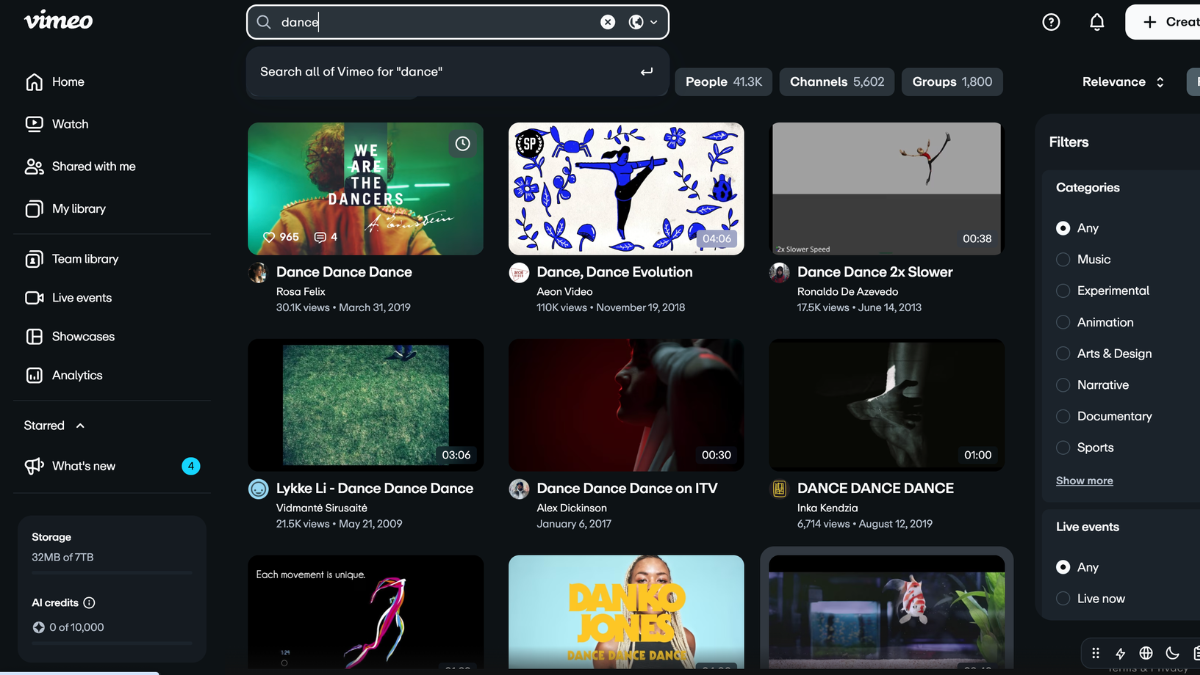
Vimeo is a video hosting, sharing, and streaming platform designed for creators, businesses, educators, marketers, and brands that want a polished, professional way to publish videos online. Unlike social-first video platforms, Vimeo focuses on high-quality playback, ad-free viewing, privacy controls, branded video players, collaboration tools, and business-friendly video hosting.
Whether you want to upload a portfolio film, embed a product demo on your website, host training videos, or stream a live event, Vimeo gives you tools to manage video content without relying on ads or noisy distractions.
What Is Vimeo?
Vimeo is an online video platform where users can upload, host, manage, share, embed, and stream videos. It was launched in 2004 and has grown from a creative video-sharing site into a broader video software platform for professionals, teams, and businesses.
At its core, Vimeo helps users do three main things:
Upload and Host Videos
You can upload videos to Vimeo and store them online. Once uploaded, your videos can be shared through a link, embedded on a website, organized into showcases, or kept private.
Customize Video Playback
Vimeo offers a clean video player with branding and privacy options, making it useful for businesses that want videos to look professional on their websites.
Share, Stream, and Manage Video Content
Vimeo supports video sharing, livestreaming, collaboration, analytics, and video management features for creators and organizations.
How Does Vimeo Work?
Vimeo works by letting users upload video files to the platform, where Vimeo processes and hosts them. After uploading, users can choose how the video appears, who can watch it, and where it can be shared.
Step 1: Create a Vimeo Account
Beginners can start by creating an account and selecting a plan that matches their needs. Vimeo offers options ranging from free access to paid plans for creators, teams, and enterprise users.
Step 2: Upload Your Video
After logging in, users can upload videos directly from their device. Vimeo then prepares the video for online playback.
Step 3: Customize Settings
Users can adjust the video title, description, thumbnail, privacy settings, embed permissions, captions, and player appearance.
Step 4: Share or Embed the Video
Once published, the video can be shared through a direct link, embedded on a website, added to a gallery, or used in marketing and training materials.
What Is Vimeo Used For?
Vimeo is used by individuals, businesses, and creative teams that need reliable, professional video hosting.
Creative Portfolios
Filmmakers, animators, designers, and videographers often use Vimeo to showcase their work in a polished, ad-free environment.
Business Marketing Videos
Companies use Vimeo to host product demos, brand videos, customer testimonials, webinars, and landing page videos.
Online Courses and Training
Educators and businesses can use Vimeo to host private training videos, tutorials, internal onboarding content, and course materials.
Website Video Embeds
Vimeo is popular for embedding videos on websites because its player looks clean and offers more control than many free video-sharing platforms.
Livestreaming and Events
Vimeo also supports livestreaming, making it useful for virtual events, company broadcasts, webinars, and conferences.
Key Vimeo Features for Beginners
Ad-Free Video Player
One of Vimeo’s biggest advantages is its ad-free viewing experience. Videos hosted on Vimeo are not interrupted by third-party ads, which helps keep viewers focused on your content.
High-Quality Video Playback
Vimeo is known for high-quality video presentation, including HD and 4K support depending on the video and plan.
Privacy Controls
Users can control who sees their videos. Options may include private links, password protection, domain-level embedding restrictions, and team permissions, depending on the plan.
Customizable Video Player
Vimeo lets users adjust how the player looks, including colors, controls, logos, and embed settings. This is especially useful for brands that want a consistent website experience.
Video Analytics
Vimeo provides performance data so users can see how videos are being watched. This can help marketers, educators, and creators understand viewer behavior.
Collaboration Tools
Teams can review videos, leave comments, manage permissions, and organize projects inside Vimeo.
Video Showcases and Portfolios
Vimeo allows users to create galleries or showcases, which can be helpful for organizing multiple videos into a professional collection.
Vimeo vs. YouTube: What’s the Difference?
Vimeo and YouTube both host videos, but they serve different purposes.
Vimeo Is More Professional and Controlled
Vimeo is often better for businesses, portfolios, private videos, website embeds, and branded content. It gives users more control over how videos appear and where they are shared.
YouTube Is Better for Discovery
YouTube is stronger for search visibility, audience growth, entertainment, and public content discovery. If your goal is to reach as many people as possible through recommendations and search, YouTube may be better.
Vimeo Has No Third-Party Ads on Videos
Vimeo focuses on a cleaner viewing experience, while YouTube commonly shows ads before, during, or around videos.
Who Should Use Vimeo?
Vimeo is a good choice for:
Businesses
Companies that need polished video hosting for websites, sales pages, training, webinars, and internal communications can benefit from Vimeo.
Creators and Filmmakers
Vimeo is ideal for creators who want to showcase high-quality work without clutter or ads.
Marketers
Marketing teams can use Vimeo for landing page videos, lead-generation content, product launches, and brand storytelling.
Educators and Coaches
Teachers, coaches, and course creators can use Vimeo to host private or semi-private learning videos.
Agencies and Freelancers
Agencies can use Vimeo to share drafts, collect feedback, and present finished work to clients.
Pros and Cons of Vimeo
Pros of Vimeo
Vimeo offers a professional video player, ad-free viewing, strong privacy settings, high-quality playback, collaboration tools, and flexible website embedding.
Cons of Vimeo
Vimeo may not offer the same organic reach as YouTube. Some advanced tools also require paid plans, which may not be ideal for users looking for completely free video hosting.
Is Vimeo Free?
Vimeo offers a free starting option, but many advanced features are available through paid plans. Paid plans are typically better for users who need more storage, branding tools, privacy controls, analytics, team collaboration, or business features.
Conclusion
Vimeo is a professional video hosting platform built for people and businesses that want more control over how their videos look, where they appear, and who can watch them. It is especially useful for creators, marketers, educators, agencies, and companies that care about high-quality playback, privacy, branding, and an ad-free viewing experience.
For beginners, Vimeo is a strong choice if you want to host videos for a website, portfolio, online course, internal training program, or business marketing campaign. While YouTube may be better for mass discovery, Vimeo stands out as a polished, professional platform for managing and presenting video content online.
Leave a Reply