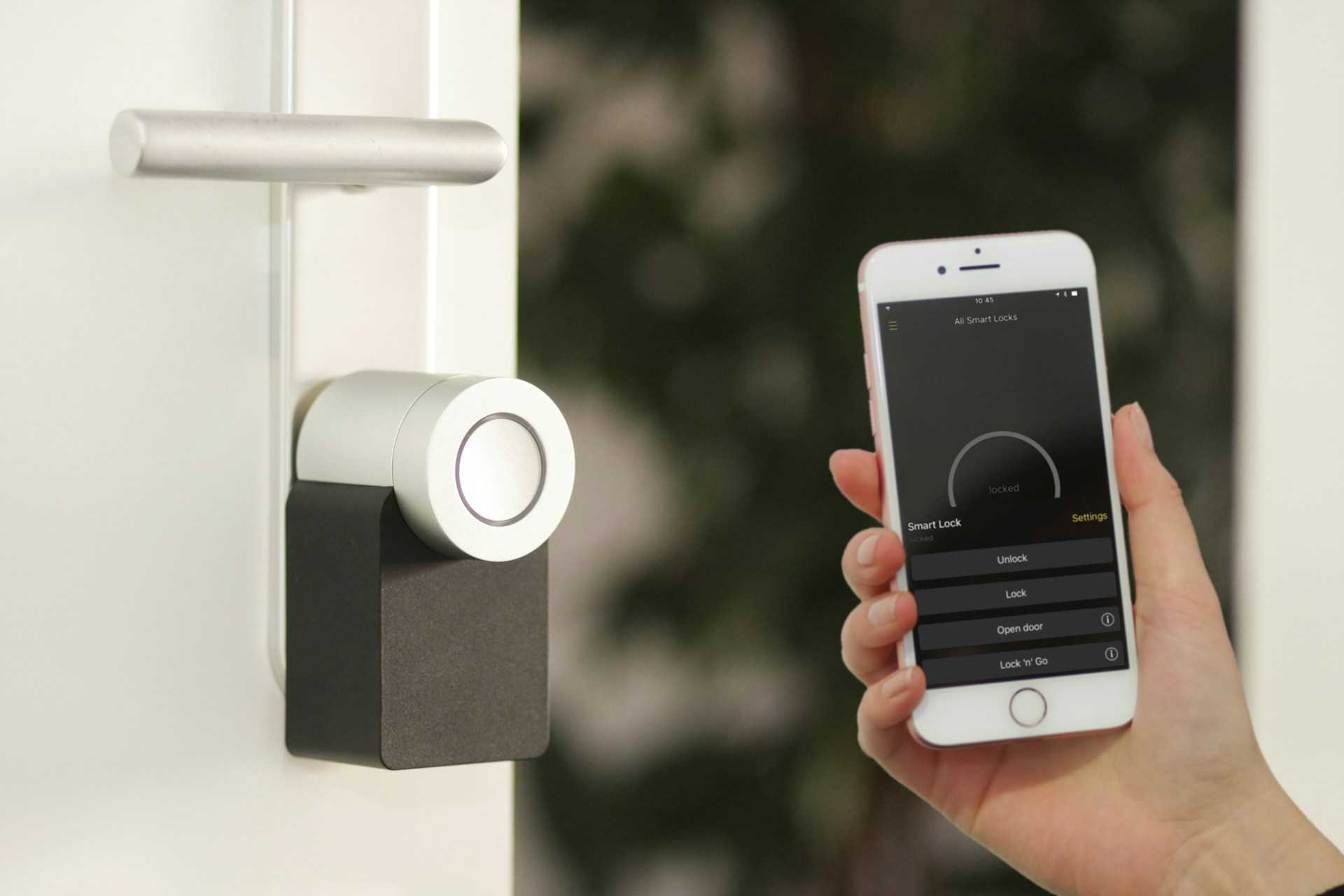
A home security system should help you sleep better, not create another monthly hassle. That’s one reason many homeowners look at Xfinity home security. If you already use Xfinity internet or cable, the setup feels familiar, and the app keeps everything in one place.
After testing several smart home systems over the past few years, one thing stands out: people want simple controls, fast alerts, and equipment that works without constant troubleshooting. Xfinity focuses heavily on that experience.
You get professional monitoring, smart home support, indoor and outdoor cameras, motion sensors, and mobile app controls tied into the same ecosystem many households already use.
Recent industry reports from Security.org show professionally monitored systems can reduce property crime risks and improve emergency response times in monitored homes.
Still, Xfinity home security has strengths and weak spots. Pricing changes depending on your package, and some homeowners dislike the contract terms. Here’s what you should know before signing up.
Xfinity Home Security Pricing and Plans
Pricing is usually the first thing homeowners check, and Xfinity keeps its structure fairly straightforward.
According to Xfinity’s official website, the company currently offers:
| Plan | Monthly Price | Main Features |
| Xfinity Smart Home | $10/month | Self-monitoring, 24/7 video recording |
| Xfinity Home Security | $65/month | Professional monitoring, cellular backup, smart home controls |
Equipment costs are separate.
Most households add:
- Door and window sensors
- Indoor cameras
- Outdoor cameras
- Video doorbells
- Motion detectors
- Smart locks
Some users finance equipment over 24 months. Starter packages from third-party reviewers usually begin around $360 for basic hardware.
One homeowner in a Reddit-style community review explained that bundling internet and security reduced monthly costs enough to replace an older ADT contract. That experience matches what many Xfinity customers mention online.
Still, professional monitoring costs more than DIY systems like Ring Alarm or SimpliSafe.
What Comes With Xfinity Security Equipment
The equipment lineup covers most standard home security needs.
The touchscreen controller acts as the main hub. It manages alerts, camera feeds, and arm or disarm controls. Some reviewers noted the built-in glass-break detection worked surprisingly well during testing.
The cameras record in 1080p HD and include night vision. Video quality looks clean during daylight hours, though some users report image processing falls behind Nest cameras in low light.
Common devices include:
| Equipment | Purpose |
| Door/window sensors | Detect entry activity |
| Motion sensors | Monitor movement indoors |
| Indoor camera | Watch pets, kids, or deliveries |
| Outdoor camera | Monitor driveways and entry points |
| Video doorbell | View visitors remotely |
| Smoke and CO detectors | Add safety monitoring |
The mobile app handles:
- Live video feeds
- Notifications
- Arm/disarm settings
- Smart home controls
- Recorded footage
If you already use Xfinity internet, setup feels smoother because billing and account management stay connected.
Xfinity Security Cameras And Video Features
Many shoppers search for xfinity security cameras before buying a system, and the cameras are honestly one of the stronger parts of the package.
The outdoor cameras hold up well in rough weather and support motion-triggered recording. Video clips load fairly quickly in the app, which matters during emergencies.
Some practical details stood out during testing reviews:
- Night vision stays usable without heavy blur
- Motion alerts arrive quickly
- Camera installation looks clean after professional setup
- Recorded clips are easy to access
The indoor cameras work well for:
- Pet monitoring
- Package checks
- Child supervision
- Vacation monitoring
A common complaint involves storage limits and subscription costs tied to continuous recording.
Another thing worth noting: Xfinity limits some advanced flexibility compared to open smart home ecosystems. Users who want heavy customization may prefer systems with broader third-party compatibility.
Xfinity Smart Home Integration Feels Convenient
One reason people search xfinity smart home online is convenience.
The system works with several smart devices, including:
- Philips Hue lights
- Yale smart locks
- Ecobee thermostats
- Zigbee-compatible accessories
Voice controls through Alexa and Google Assistant support basic commands in some setups, although integration still feels more limited than Google Nest or Amazon ecosystems.
For everyday users, though, the setup handles the basics well.
For example:
- Lights can turn on when motion sensors trigger
- Doors can auto-lock at night
- Cameras can activate during away mode
- Thermostats can adjust when you leave home
That kind of automation saves time and reduces manual tasks.
Professional Monitoring Vs Self Monitoring
This part deserves serious attention.
The self-monitoring plan costs less, though you handle alerts yourself. If your phone dies or you miss notifications, emergency dispatch will not happen automatically.
Professional monitoring includes:
- 24/7 monitoring centers
- Emergency dispatch support
- Cellular backup
- Battery backup
Security testing groups reported average dispatch response times near 29 seconds during controlled tests.
That speed compares reasonably well against major competitors.
Still, professional monitoring raises your monthly bill significantly. Some homeowners feel the added cost makes sense for families, larger homes, or frequent travelers. Others prefer cheaper DIY systems.
Here’s a quick comparison:
| Feature | Self Monitoring | Professional Monitoring |
| Emergency dispatch | No | Yes |
| Monthly cost | Lower | Higher |
| Cellular backup | Limited | Included |
| Monitoring center | No | Yes |
| Best for | Budget users | Families and travelers |
Xfinity Home Security Installation Experience
Unlike many DIY competitors, Xfinity leans heavily toward professional installation.
That creates pros and cons.
The good side:
- Cleaner setup
- Better device placement
- Less technical frustration
- Faster troubleshooting
The downside:
- Installation appointments take time
- Service fees may apply
- Less flexibility for renters
One real-world tester reported a full installation with nine sensors and two cameras took under three hours.
That timeline sounds reasonable for larger homes.
Professional installation works especially well for homeowners unfamiliar with networking or smart home systems.
How Xfinity Compares To Ring, ADT, And SimpliSafe
Many shoppers compare xfinity alarm system options against larger brands.
Here’s a practical breakdown:
| Brand | Best Feature | Main Drawback |
| Xfinity | Bundle discounts | Contract limitations |
| Ring | Affordable DIY setup | Limited professional support |
| ADT | Strong monitoring network | Higher long-term costs |
| SimpliSafe | Flexible contracts | Fewer smart home integrations |
Xfinity works best for:
- Existing Xfinity customers
- Homeowners wanting one monthly bill
- Users wanting professional setup
It works less effectively for:
- Renters moving often
- DIY smart home enthusiasts
- Budget-focused shoppers
That balance matters more than flashy marketing claims.
Potential Drawbacks You Should Know
No system fits every household perfectly.
Several complaints appear consistently across reviews and customer discussions.
Contract Terms
Some packages require long agreements. That creates problems if you move or switch internet providers.
Limited Availability
Xfinity home monitoring only works in areas with Xfinity service.
Closed Ecosystem
The platform favors Xfinity-certified devices. Advanced smart home users may feel restricted.
Equipment Costs
Starter pricing looks manageable, though cameras and extra sensors raise total costs quickly.
A larger setup with several outdoor cameras can easily move past $700 to $1,000 in total hardware expenses.
Real-World Experience After Daily Use
After reviewing customer feedback and professional testing reports, one thing becomes clear: Xfinity home security performs best for people already inside the Xfinity ecosystem.
The app stays fairly stable. Notifications arrive quickly. Professional installation removes a lot of setup stress.
Families often appreciate:
- Fast mobile alerts
- Easy camera access
- Combined billing
- Remote controls during travel
On the other hand, advanced smart home users sometimes complain about limited customization compared to fully open platforms.
That split explains why online opinions vary so much.
Is Xfinity Home Security Worth Your Money?
For many households, yes.
If you already use Xfinity internet, the system feels convenient and easy to manage. The cameras perform well enough for everyday home monitoring, and professional installation removes a lot of setup headaches.
The higher monitoring cost may push budget shoppers toward Ring or SimpliSafe. Still, homeowners wanting one ecosystem for internet, automation, and security may find the simplicity worthwhile.
Before signing up, compare contract terms, equipment pricing, and monitoring costs carefully. A smaller setup may cover your needs without overspending.
Most importantly, focus on how you actually use your home security system day to day. Fancy features matter less than fast alerts, reliable cameras, and controls you can use without frustration.
If you want a security system connected to your existing Xfinity services, this option deserves a close look.
Leave a Reply