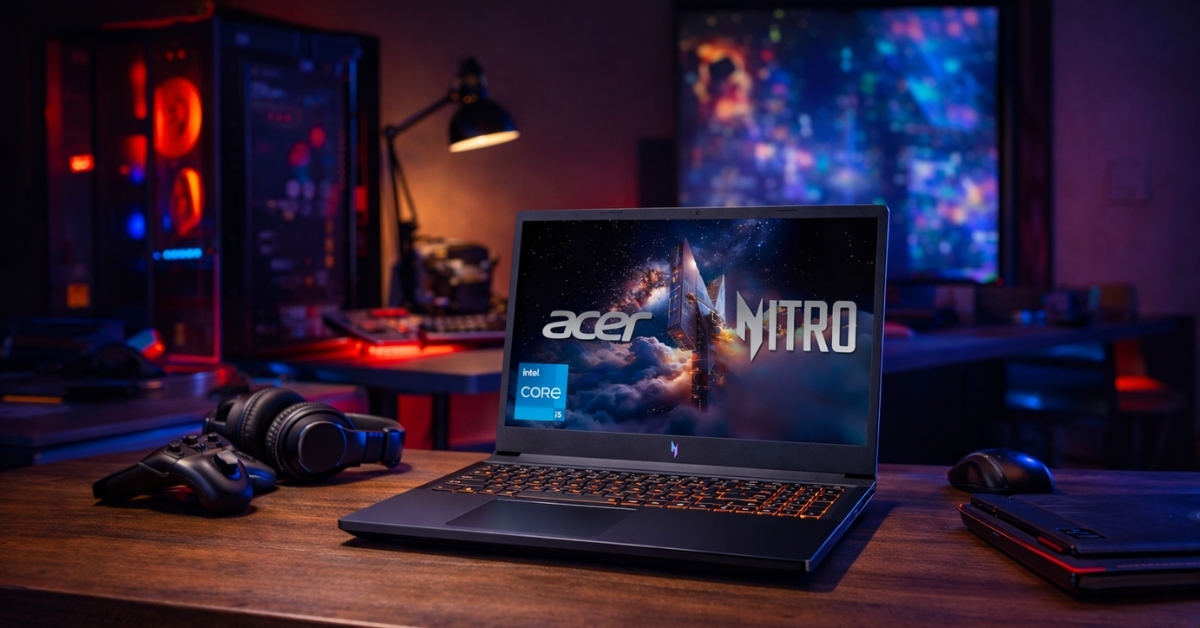
Gaming laptops have come a long way, and the ACER Nitro V Gaming Laptop proves that strong performance no longer requires premium pricing.
This laptop line targets players who want smooth gameplay, fast refresh rates, and modern GPUs without overspending. It fits students, casual gamers, and anyone upgrading from older hardware that struggles with today’s titles.
What stands out early is how much hardware ACER packs into this series. High-refresh displays, dedicated NVIDIA graphics, and upgrade-friendly internals all show up at prices that stay within reach.
According to Steam’s Hardware Survey, over 65% of PC gamers still play at 1080p, which makes this class of laptop especially relevant for modern gaming needs.
That context matters because the Nitro V focuses squarely on Full HD performance, not flashy extras that inflate cost.
ACER Nitro V Gaming Laptop Performance Overview
The ACER Nitro V Gaming Laptop focuses on practical gaming performance instead of luxury materials.
Most current US models ship with Intel 13th-gen processors and NVIDIA GeForce RTX 3050, RTX 4050, or RTX 4060 GPUs, which directly target 1080p gaming.
Real-world testing across popular titles shows consistent results:
- Esports games like Valorant and CS2 exceed 120 FPS on high settings
- AAA games such as Cyberpunk 2077 run smoothly at medium to high with DLSS
- Ray tracing works best on RTX 4050 and RTX 4060 configurations
This matches NVIDIA’s own benchmarks, which show DLSS improving frame rates by 30–60% at 1080p depending on the title.
Acer Nitro V 15 Gaming Laptop Specs That Matter
The Acer Nitro V 15 gaming laptop typically includes:
- CPU: Intel Core i5-13420H or Core i7-13620H
- GPU: NVIDIA RTX 3050 / RTX 4050 / RTX 4060
- RAM: 8GB–16GB DDR5 (user-upgradeable)
- Storage: 512GB or 1TB PCIe Gen 4 SSD
- Display: 15.6-inch Full HD IPS, 144Hz
This hardware combination focuses on sustained performance instead of synthetic benchmark chasing. Thermal limits stay under control during long gaming sessions, which prevents sudden frame drops.
Gaming Laptop Under $1000: Real Amazon US Pricing
For shoppers hunting a gaming laptop under $1000, the Nitro V frequently appears in Amazon’s top results due to aggressive pricing.
Typical Amazon US price ranges:
- RTX 3050 models: $649–$799
- RTX 4050 models: $849–$1,049
- RTX 4060 models: $1,099–$1,299
Seasonal sales often drop prices further, especially during Prime events and back-to-school periods. Price tracking tools confirm the RTX 4050 variant regularly dips below $900, placing it among the best value gaming laptops in its class.
RTX 4050 Gaming Laptop Performance in Daily Use
The RTX 4050 gaming laptop configuration hits the balance most buyers want. It handles modern engines like Unreal Engine 5 without forcing low settings.
Expected performance at 1080p:
- High settings: 60–90 FPS in most modern games
- Ray tracing: Playable with DLSS enabled
- Thermals: Stable under sustained load
This GPU also benefits from NVIDIA’s DLSS 3 Frame Generation, which improves smoothness in supported titles. According to NVIDIA developer documentation, DLSS 3 can double perceived frame rates in CPU-limited scenarios.
144Hz Gaming Laptop Display Experience
A 144Hz gaming laptop panel changes how fast-paced games feel. Motion clarity improves, input lag drops, and screen tearing becomes less noticeable.
The Nitro V display delivers:
- Smooth motion in shooters and racing games
- Decent brightness for indoor use
- Acceptable color accuracy for casual content work
Color coverage stays around 65% sRGB, which limits professional editing work but suits gaming well. This trade-off keeps costs lower without affecting gameplay.
Budget Gaming Laptop Design and Build Quality
As a budget gaming laptop, the Nitro V uses a plastic chassis instead of aluminum. That choice keeps weight reasonable and pricing competitive.
What works well:
- Solid hinge stability
- Adequate keyboard travel for long sessions
- Good port selection with HDMI, USB-A, USB-C, and Ethernet
Limitations to note:
- Some flex on the keyboard deck
- Fans become noticeable under load
- Battery life averages 3–5 hours for non-gaming tasks
These compromises align with the price tier and remain common across competitors like HP Victus and Lenovo LOQ.
Best Gaming Laptop for Students and Casual Gamers
For buyers searching for the best gaming laptop for students, this model checks several boxes.
It supports:
- Coursework and productivity apps
- Evening gaming without external GPUs
- Easy RAM and SSD upgrades
Industry repair guides confirm that RAM and storage upgrades take under 15 minutes, which extends usable lifespan. This flexibility helps stretch value over multiple years.
Performance Longevity and Upgrade Potential
Modern games continue to scale upward, so longevity matters. Based on current system requirements trends:
- RTX 3050 models remain viable for 2–3 years at medium settings
- RTX 4050 models hold strong for 3+ years at high settings
- RTX 4060 models offer extra headroom for future releases
According to Steam’s annual hardware data, mid-range GPUs dominate the active player base, which supports long-term driver optimization for this class of hardware.
Who Should Consider the ACER Nitro V Gaming Laptop
This laptop fits specific needs very well:
- Gamers focused on 1080p performance
- Students balancing school and play
- Buyers upgrading from integrated graphics
- Shoppers watching price-to-performance closely
Those seeking premium materials, silent operation, or extended battery life may prefer higher-priced alternatives. That perspective matters when weighing priorities.
Final Thoughts and Next Steps
The ACER Nitro V Gaming Laptop delivers reliable gaming performance without unnecessary extras. Strong GPU options, fast refresh displays, and upgrade-friendly internals make it a practical choice in a crowded market.
The design stays simple, the pricing stays competitive, and the performance stays consistent where it counts. Exploring the current Amazon listings helps identify the best configuration and ongoing deals.
Beyond this laptop, there are other gaming accessories and upgrades worth exploring to build a setup that fits long-term goals without overspending.
Leave a Reply