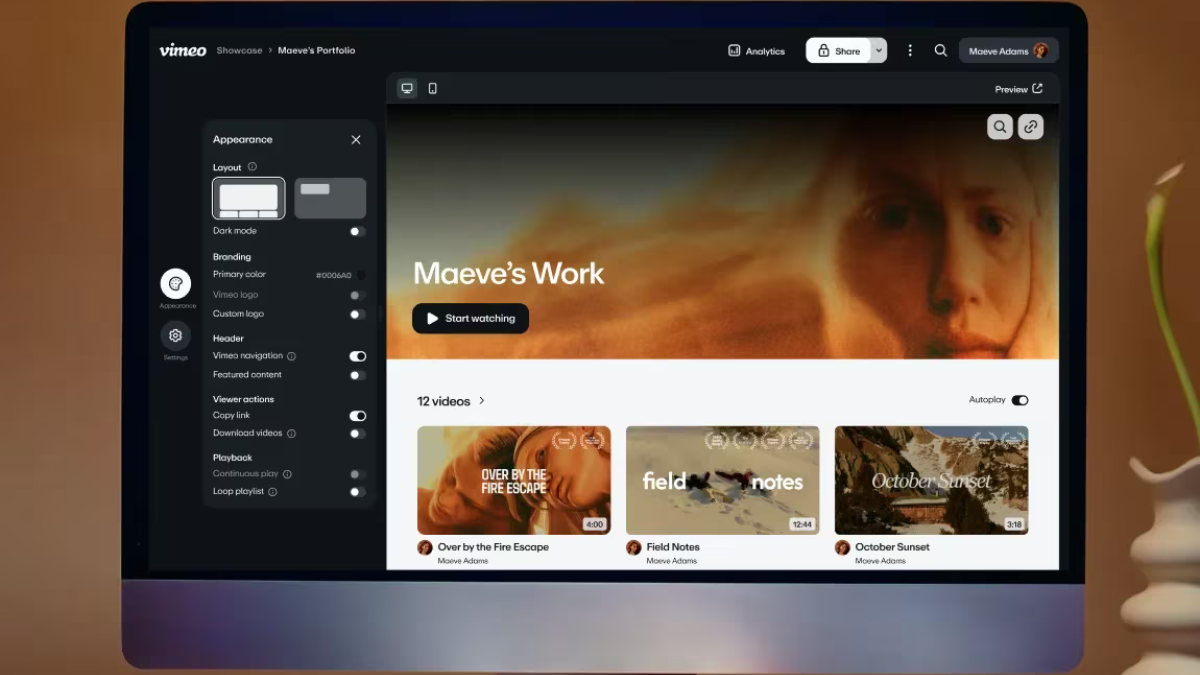
Vimeo is more than a place to upload videos. For content creators, marketers, educators, and brands, it offers tools that can help improve video quality, increase viewer engagement, protect content, and measure performance. From AI-powered editing to advanced analytics, Vimeo gives creators more control over how their videos look, perform, and convert.
Below are five powerful Vimeo features every content creator should know.
1. Vimeo AI Tools
Vimeo’s AI-powered tools are designed to speed up the video creation process. Creators can use AI to generate titles, create video recaps, edit transcripts, and add interactive elements more efficiently.
Why It Matters for Creators
Producing video content can take hours, especially when writing descriptions, editing captions, or repurposing long-form content. Vimeo AI helps reduce repetitive work so creators can focus more on strategy and storytelling.
Best Uses
Use Vimeo AI to summarize webinars, clean up talking-head videos, improve accessibility, and prepare video content for blogs, email campaigns, and social media.
2. Advanced Video Analytics
Vimeo’s analytics dashboard helps creators track video views, engagement, performance trends, and viewer behavior across embedded videos and social platforms.
Why It Matters for Creators
Views alone do not tell the full story. Analytics can show where people drop off, which videos drive engagement, and what content keeps audiences watching.
Best Uses
Use analytics to improve thumbnails, adjust video length, refine calls to action, and identify your highest-performing topics.
3. Customizable Video Player and Embed Controls
Vimeo gives creators more control over how videos appear on websites, landing pages, and portfolios. Recent updates include stricter embed controls, helping users manage where and how their videos are shared.
Why It Matters for Creators
A clean, branded viewing experience can make your content look more professional. Embed controls also help protect videos from appearing on unwanted websites.
Best Uses
Use custom embeds for portfolio pages, client presentations, paid content, course lessons, and branded landing pages.
4. High-Quality Recording and Video Hosting
Vimeo supports professional video hosting and continues to improve recording quality, including expanded aspect ratios and 4K recording updates announced in 2026.
Why It Matters for Creators
Video quality affects trust. Whether you are publishing tutorials, product demos, interviews, or brand films, sharp playback and flexible formats help your content look polished across devices.
Best Uses
Use Vimeo for product videos, online courses, creative portfolios, client showcases, and high-resolution marketing content.
5. Interactive Video Features
Vimeo supports interactive video experiences that can turn passive viewers into active participants. Interactive tools can be useful for marketing, training, lead generation, and educational content.
Why It Matters for Creators
Interactive video helps guide viewers toward action. Instead of simply watching, audiences can click, choose, respond, or follow a custom path.
Best Uses
Use interactive features for shoppable videos, training modules, product explainers, quizzes, lead capture, and personalized customer journeys.
Conclusion
Vimeo gives content creators more than basic video hosting. With AI tools, advanced analytics, custom embeds, high-quality recording, and interactive video features, it can support every stage of the content workflow—from creation to publishing to performance tracking.
For creators who want a more polished, controlled, and data-driven video strategy, these Vimeo features are worth exploring.
Leave a Reply