Finding a home printer that balances photo quality, ease of use, and price can feel frustrating.
Many models promise great results but fall short in everyday use. This HP Envy Photo 7155 Review takes a closer look at a printer built for photos, documents, and daily home tasks.
Even though HP no longer sells this model directly, it still appears through third-party sellers and refurbished listings. Prices usually land between $180 and $200, depending on condition and availability. That keeps it within reach for most households.
The real question is simple. Does this printer still hold value today? Photo output, wireless tools, ink costs, and ease of use all matter. Some features shine. Others show limits.
HP Envy Photo 7155 Review: Design and Build Quality
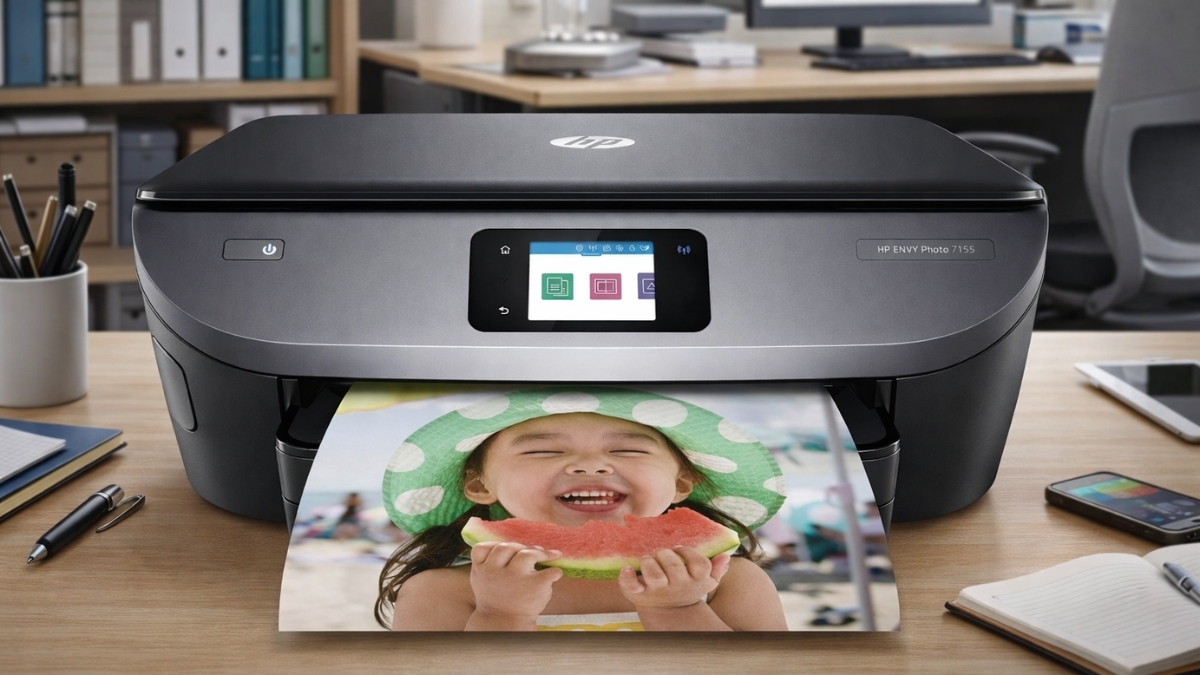
The HP Envy Photo 7155 keeps a clean and modern look. The white and gray finish fits easily into a home office or shared space.
Its size stays compact at 17.87 inches wide, 16.14 inches deep, and 6.34 inches high. Weight comes in at around 14.3 pounds, so moving it feels manageable.
A 2.65-inch color touchscreen sits front and center. Menus feel simple. Icons stay clear. Navigation feels fast without extra buttons cluttering the panel.
An SD card slot on the front adds convenience for photo printing. Photos can print directly without opening a laptop. The printer also carries ENERGY STAR certification, which helps keep power use low during idle time.
Paper trays do feel light. That matches expectations for a home photo printer in this range. Overall construction still feels stable for everyday use.
Print Performance and Photo Quality
Print quality remains the strongest part of this printer. Color resolution reaches up to 4800 × 1200 dpi on supported photo paper. Black text prints at 1200 × 1200 dpi. Those numbers translate well in real use.
Print speeds reach about 14 pages per minute for black and 9 pages per minute for color. That pace suits home tasks like homework, recipes, or short reports. First pages usually appear within 16 to 18 seconds.
Photos stand out the most. Colors look rich and bright. Details stay sharp on glossy photo paper. Some prints may lean slightly bold in color by default. Simple adjustments inside the HP Smart app help fine-tune results.
Borderless printing works up to letter size, which helps photos look clean without white edges. Text documents stay crisp, even at smaller font sizes.
Scanning and Copying Features
The flatbed scanner offers 1200 dpi resolution, which works well for documents and photos. Copies stay accurate and clear. Up to 50 copies can be queued at once.
There is no automatic document feeder. Multi-page scans require manual placement. Duplex scanning also stays manual, so two-sided pages need flipping by hand.
For occasional scanning, performance feels reliable. The touchscreen allows quick copy jobs without opening an app. The HP Smart app adds scan-to-PDF and scan-to-email options, which increases flexibility.
Color accuracy during scans stays close to originals. That makes it useful for archiving photos or important paperwork.
Connectivity and Mobile Printing Options
Wireless features feel strong for a home printer. Dual-band Wi-Fi supports both 2.4GHz and 5GHz networks. Connections stay stable in busy households.
Wi-Fi Direct allows device-to-printer connections without a router. A USB 2.0 port remains available for wired setups. The SD card slot supports direct photo printing from cameras.
Mobile support includes Apple AirPrint and Mopria for Android. The HP Smart app handles printing, scanning, and printer monitoring from phones and tablets.
Cloud printing works with services like Google Drive and Dropbox. Files can print without downloading first. This setup fits well into a mobile-focused home.
Ink System and Running Costs
This printer uses HP 64 Black and Tri-Color cartridges. Both standard and XL sizes are available. Starter cartridges included in the box yield fewer pages, around 185 black and 120 color.
XL cartridges reduce replacement frequency. Without a subscription, costs average 6–8 cents per black page and 15–20 cents per color page. That aligns with most consumer photo printers.
The printer supports HP Instant Ink. This subscription charges by page count, not ink use. It works well for homes that print photos often.
Each cartridge includes a built-in printhead. That helps maintain print quality and reduces long-term maintenance concerns.
Paper Handling and Media Support
The input tray holds 125 sheets, which covers most daily needs. Output capacity ranges between 25 and 75 sheets, depending on media type.
Supported sizes include letter, legal, envelopes, and common photo formats like 4×6, 5×7, and 8×10. Cardstock and photo paper work with proper settings.
Duplex printing requires manual paper flipping. There is no dedicated photo tray. Switching between document paper and photo paper takes a little time.
This setup suits mixed home use but feels less convenient for frequent media changes.
Software and User Experience
The HP Smart app ties everything together. Setup feels guided and quick. Printer status, ink levels, and alerts stay easy to track.
The touchscreen allows direct access to common tasks. Mobile scanning turns a phone into a document capture tool. Creative templates for cards and photo layouts add extra value.
Web printing allows content to print directly from supported sites. Notifications help prevent empty ink surprises. Day-to-day use feels smooth once set up.
The HP Envy Photo 7155
This printer fits homes that value photo quality and wireless convenience. Photo prints look sharp and vibrant. Mobile features feel modern and useful. Speeds remain reasonable for home tasks.
Limitations include manual duplexing and the lack of an automatic document feeder. Those points matter more for heavy office work.
For photo-focused households, this model still holds appeal. Availability varies, so pricing may change. Exploring current listings on Amazon can help find the best option. There are also other printers worth comparing based on budget and print habits.
Taking time to explore those choices helps ensure the right fit for your home setup.
Leave a Reply