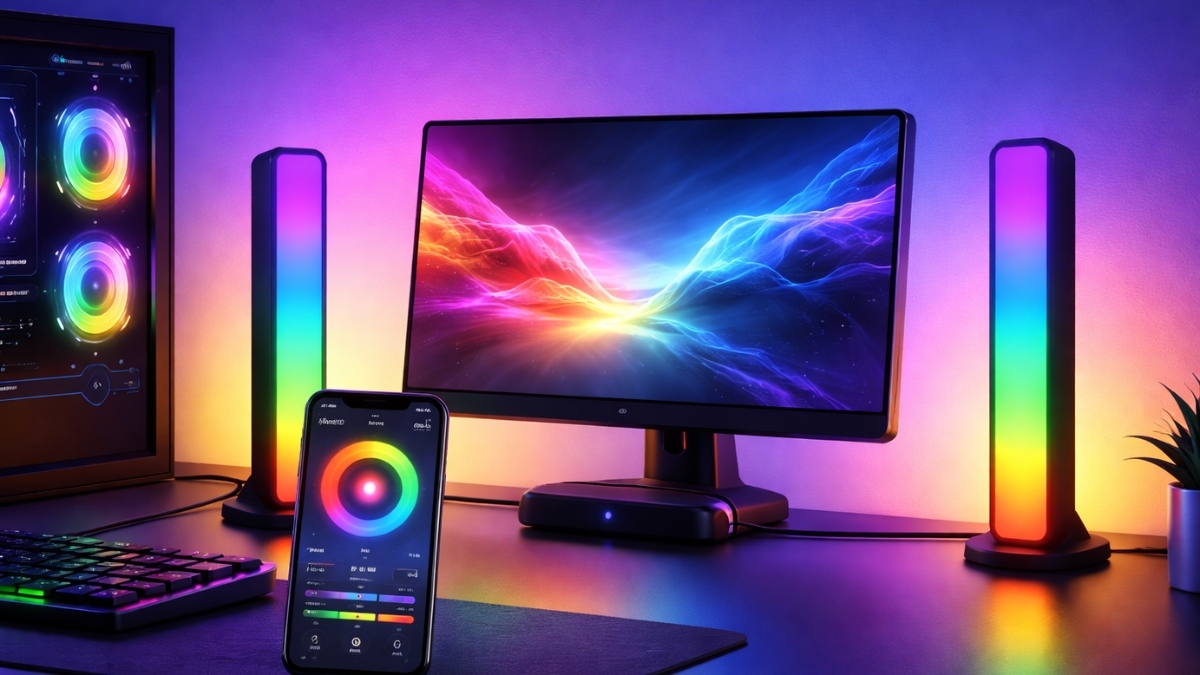
Lighting can change how a room feels in seconds. One small upgrade can turn a plain setup into something far more engaging. That is exactly where Govee Smart LED Light Bars stand out.
These light bars are designed to add color, motion, and atmosphere around TVs, desks, and gaming setups. They work as ambient lighting, not harsh overhead light. The result feels more comfortable and more immersive.
Smart lighting has grown fast in home entertainment spaces. Many setups now rely on accent lighting to reduce eye strain and improve focus. Govee fits right into that trend with easy setup and strong app control.
The light bars react to sound, sync with screens, and support voice commands. They work well for movies, games, music, and everyday mood lighting.
Govee Smart LED Light Bars: Features That Matter
Govee Smart LED Light Bars use RGBIC or RGBICWW technology. Each bar shows multiple colors at the same time. That allows smooth gradients and flowing effects across a single bar.
These lights are built for accent use. They sit behind a TV, beside a monitor, or against a wall. They enhance the space instead of lighting the entire room.
Popular uses include:
- TV backlighting to reduce eye strain
- Gaming setups with reactive effects
- Desk lighting for work or creative spaces
- Decorative room lighting with custom colors
RGBIC and RGBICWW Color Control
RGBIC models control color in segments. That creates dynamic effects instead of one solid color.
RGBICWW models add dedicated warm white LEDs. These produce softer whites and better neutral tones for daily use.
Music and Sound Sync
Each light bar includes a built-in microphone. The lights react to music, game audio, or TV sound. Several modes are available, including soft pulses and fast beat reactions.
Response time stays quick. Effects match audio without noticeable delay.
Screen Sync Options
Select models include a camera that mounts above or below the TV. The camera reads on-screen colors and matches the lighting behind the display. This creates a wider visual effect during movies and games.
Results depend on camera placement and room lighting. Once adjusted, the sync feels natural and smooth.
App and Voice Control
The Govee Home app controls everything:
- Color selection
- Brightness adjustment
- Effect speed
- Preset scenes
- Custom DIY modes
- Schedules and timers
Voice control works with Amazon Alexa and Google Assistant. Commands handle power, colors, and brightness with ease.
Setup and Installation
What Comes in the Box
- Two LED light bars
- Control box and power adapter
- Long power cable
- Stands and adhesive mounts
- Quick start guide
Mounting Options
- Desk stands for flat surfaces
- Adhesive mounts for TVs or walls
- Vertical or horizontal placement
Setup Process
- Mount or place the light bars
- Connect them to the control box
- Plug into a wall outlet
- Install the Govee Home app
- Connect to a 2.4GHz Wi-Fi network
- Customize scenes and effects
Setup takes about 10 minutes.
Performance and Daily Use
Brightness works best for accent lighting. These bars are not meant to replace ceiling lights. Colors look vivid and clean, especially on RGBICWW models.
Heat output stays low, even after long sessions. Wi-Fi connection remains stable in most setups. App response stays fast during daily use.
Different models offer different features:
- Entry models focus on basic color control
- Mid-range models add music sync
- Premium kits include screen sync and better white tones
Creative Ways to Use Them
- Bias lighting for movie nights
- Reactive lighting for gaming sessions
- Calm lighting for evening routines
- Color themes for parties or holidays
- Neutral lighting for desk work
The bars work well alone or synced with other Govee products for full-room effects.
Pricing and Value
Typical pricing on Amazon:
- Basic RGBIC models: $38.99–$69.99
- Gaming-focused models: $54.99–$89.99
- Premium TV Light Bar kits: $99.99–$149.99
Sales often drop entry models close to $30 during major events.
Compared to Philips Hue Play bars, Govee offers similar features at a lower cost. Power use stays low, usually under 20W total.
Pros and Limitations
Pros
- Strong app customization
- Affordable pricing
- Easy installation
- Responsive sound and screen sync
- Multiple mounting options
Limitations
- Not designed for main room lighting
- Adhesive mounts may struggle on rough surfaces
- Requires 2.4GHz Wi-Fi
Conclusion
Govee Smart LED Light Bars offer a solid balance of features, performance, and value. They fit well in entertainment spaces, work setups, and decorative rooms.
The lighting feels smooth, responsive, and customizable without adding complexity.
These light bars work best as part of a larger setup, paired with regular room lighting. For anyone exploring ambient lighting, they provide an easy place to start.
Explore the available models on Amazon to find the right fit. There are plenty of options and other smart lighting products worth checking out as well.
Leave a Reply