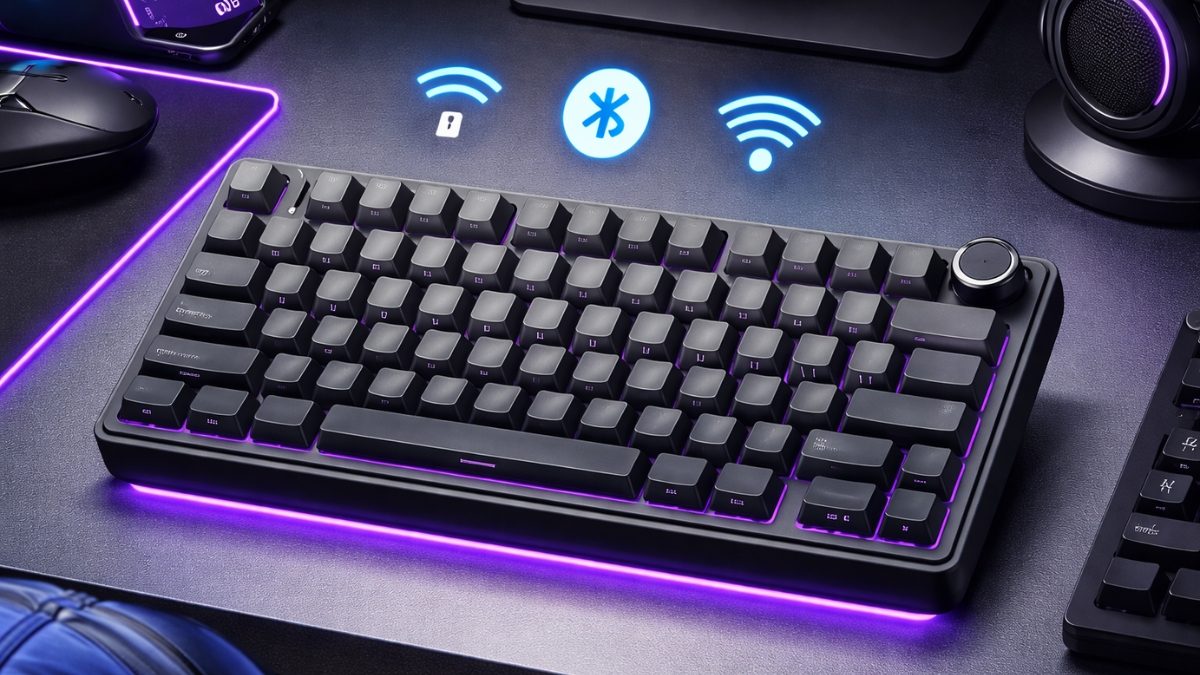
Mechanical keyboards have moved from niche hobby to everyday essential. Gamers want faster response times. Remote workers want comfort. Students want something compact that still feels solid.
This AULA F75 Pro Wireless Mechanical Keyboard Review looks at a model that promises premium features without a premium price tag.
You get a 75% layout, tri-mode connectivity, hot-swappable switches, and a gasket mount design—all for under $100 on Amazon US. That price range usually comes with trade-offs. So the question becomes simple: does this keyboard actually deliver in real-world use? Let’s break it down.
Build Quality and Gasket Mount Experience
Most budget mechanical keyboards use tray mount construction. The F75 Pro uses a gasket mount design. That’s typically found in higher-end custom boards.
In practical terms, gasket mount softens the typing impact. When you press a key, you feel a slight flex. It reduces harsh bottom-out sensations and improves acoustics. Compared to basic tray-mounted boards, the typing sound is deeper and less hollow.
Internally, AULA includes multiple layers of sound dampening foam. This helps reduce ping and echo. During testing in a shared workspace, the noise stayed controlled—even with faster typing.
The case is ABS plastic, not aluminum. Some users may prefer metal for durability and aesthetics. Still, the weight and internal structure prevent it from feeling cheap.
Switch Options and Hot-Swappable Flexibility
If you’ve searched for a hot-swappable mechanical keyboard under $100, this is where the F75 Pro stands out.
The keyboard supports both 3-pin and 5-pin switches. That means you can swap switches without soldering. If you enjoy customizing typing feel, this feature extends the keyboard’s lifespan.
The Amazon US models typically come with pre-lubed linear or tactile switches (often Leobog or Reaper variants). In daily use:
- Linear switches feel smooth and consistent
- Tactile switches provide a noticeable bump without loud clicks
- Stabilizers come factory-lubed and reduce rattle
After extended typing sessions—around 4–6 hours per day—the switches remain consistent. There’s no scratchy feel out of the box, which is common at lower price points.
Hot-swap sockets also make maintenance easier. If a switch fails, you replace a single unit instead of the entire board.
Connectivity: Bluetooth, 2.4GHz, and Wired Mode
The AULA F75 Pro supports tri-mode connectivity:
- Bluetooth 5.0
- 2.4GHz wireless via USB dongle
- USB-C wired connection
If you’re looking for a wireless mechanical keyboard for gaming and work, this flexibility matters.
In testing, Bluetooth worked well for general productivity tasks like writing, browsing, and light office use. The 2.4GHz connection delivered lower latency and felt more responsive in fast-paced games.
In wired mode, the keyboard supports a 1000Hz polling rate. That means it reports key presses 1000 times per second. Competitive gamers may appreciate that added responsiveness.
You can pair multiple devices and switch between them using function shortcuts. That’s helpful if you use a desktop, laptop, and tablet throughout the day.
RGB Lighting and Software Customization
RGB lighting includes 16 preset effects and full color customization. If you’ve searched for an RGB wireless mechanical keyboard 75% layout, this board checks the aesthetic box.
Lighting looks clean around the keys and under the case edges. Since the keycaps are side-printed, the legends do not glow. Instead, the light creates a soft underglow effect.
You can adjust lighting:
- Using function key shortcuts
- With the control knob
- Through companion software
The software allows key remapping and macro setup. It isn’t as advanced as premium brands like Keychron or Logitech, yet it covers the basics for most users.
Battery Life and Charging
The F75 Pro includes a 4000mAh battery. Battery life depends on RGB usage and connection type.
With RGB off and using Bluetooth, it can last several days of regular use before needing a recharge. With RGB on full brightness, expect shorter intervals between charges.
Charging happens via USB-C. The keyboard can be used while charging, so downtime stays minimal. Power-saving features automatically activate after inactivity, helping extend battery life.
Real-World Performance: Gaming, Work, and Daily Use
Gaming
In FPS and action games, the 2.4GHz connection feels responsive. There’s no noticeable delay in key registration. Full N-Key Rollover ensures every key press registers, even during fast combinations.
If you’re comparing the AULA F75 Pro vs Keychron K2, the F75 Pro offers similar layout flexibility at a lower price, though Keychron may provide more refined software.
Office and Productivity
For writing and document editing, the gasket mount design reduces finger fatigue over time. The compact layout keeps your mouse closer, which helps reduce shoulder strain.
The volume knob is especially convenient during meetings and video calls.
Creative Work
For video editing or design, macro programming allows faster shortcuts. Multi-device support helps if you switch between a desktop workstation and a laptop setup.
Amazon US Pricing and Value
At the time of writing, the AULA F75 Pro typically sells on Amazon US between $69 and $99, depending on colorway and switch type.
In that price range, you usually don’t get:
- Gasket mount construction
- Hot-swappable PCB
- Tri-mode connectivity
- Large 4000mAh battery
Competing models with similar specs often cost $120 or more.
From a value perspective, it competes strongly in the best budget wireless mechanical keyboard category.
Potential Drawbacks to Consider
No product is perfect.
- Plastic case instead of aluminum
- Side-printed keycaps limit RGB visibility
- Software is functional, not advanced
- Brand recognition is lower than major gaming brands
If brand ecosystem and premium software matter most, alternatives may suit you better. If typing feel and feature-to-price ratio matter more, this keyboard performs well.
Should You Choose the AULA F75 Pro?
The AULA F75 Pro offers strong performance, flexible connectivity, and a satisfying typing experience at a reasonable Amazon price. You get premium-style features without crossing into high-end territory.
It works well for gamers, remote workers, students, and casual mechanical keyboard enthusiasts who want customization without overspending.
If you’re exploring a compact wireless mechanical keyboard with hot-swap support, this model deserves a closer look. Check current pricing and color options on Amazon, and see how it fits your setup. There’s always something new to discover in the mechanical keyboard space.
Leave a Reply