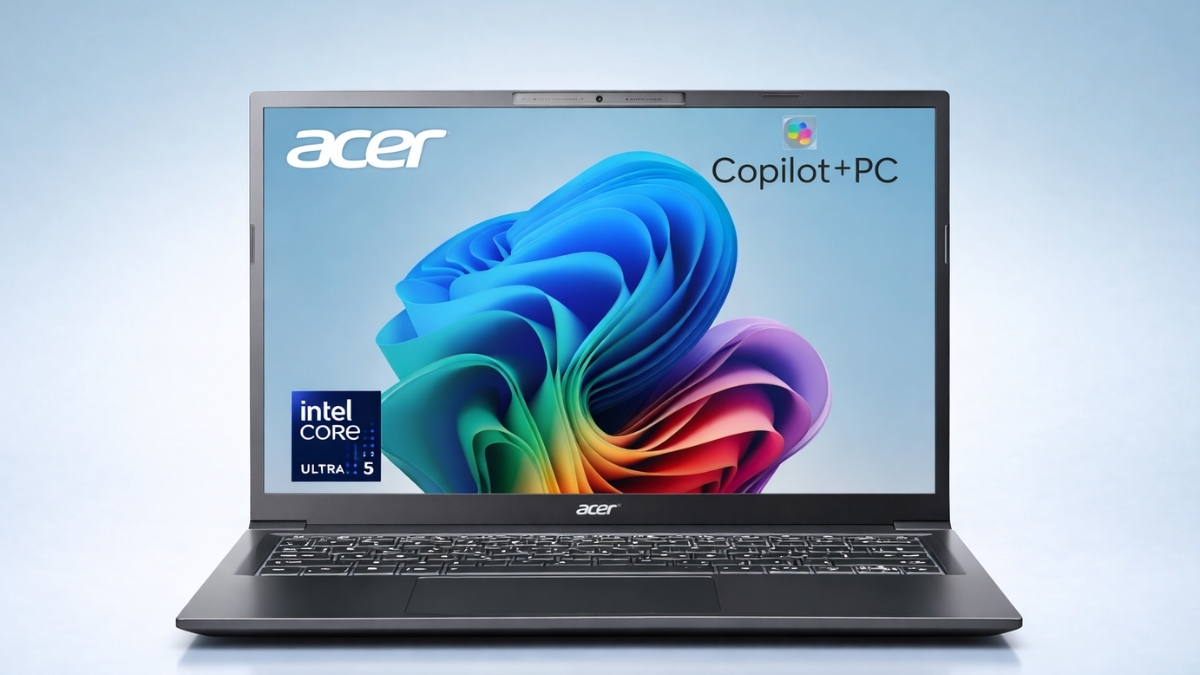
Laptops used to be simple: decent battery, solid performance, and a fair price. Now, artificial intelligence is entering the mix, and that changes expectations.
The Acer Aspire 14 AI Copilot+ PC brings built-in AI acceleration, long battery life, and modern hardware to a price range that stays within reach for most households.
Instead of pushing flashy extras, this machine focuses on practical performance. You get Intel’s latest Core Ultra processors, a dedicated Neural Processing Unit (NPU), fast SSD storage, and Wi-Fi 6E.
According to Intel, Core Ultra chips can deliver up to 47 TOPS (trillion operations per second) of AI performance in supported configurations, enabling more AI tasks to run directly on your device (Intel, 2024).
If you’re searching for a Copilot+ PC laptop that balances power and price, this breakdown walks through what you can expect in daily use.
Acer Aspire 14 AI Copilot+ PC: Specs and Core Performance
The Acer Aspire 14 AI Copilot+ PC is powered by Intel Core Ultra processors. Available configurations include:
- Intel Core Ultra 5 226V
- Intel Core Ultra 7 256V or 258V
- 16GB or 32GB LPDDR5X RAM
- 512GB or 1TB PCIe Gen4 SSD
- Intel Arc integrated graphics (130V or 140V)
In everyday use, the system feels quick. Web browsing with 15+ tabs open, document editing, Zoom calls, and streaming video run smoothly. For students and remote professionals, this setup handles standard productivity workloads without hesitation.
You won’t get workstation-level rendering performance, so heavy 3D modeling or advanced video editing will push the limits. For general office apps, light creative tasks, and cloud-based tools, performance remains stable and consistent.
If you’ve been researching an Intel Core Ultra laptop, this model offers a balanced configuration that avoids unnecessary upgrades.
AI Performance and the Copilot+ Experience
The biggest differentiator is the dedicated NPU delivering up to 47 TOPS of AI performance. This enables on-device AI tasks instead of relying fully on cloud processing.
That matters for three reasons:
- Faster AI responses
- Lower battery drain
- Improved privacy since data stays local
Microsoft’s Copilot integration benefits from this hardware. You can summarize documents, generate quick drafts, search settings conversationally, and receive contextual help across Windows 11.
Voice recognition is accurate in moderately noisy rooms. Commands respond quickly, and wake detection works reliably. Compared to older laptops without NPUs, AI features feel smoother and less resource-heavy.
For users specifically looking for an AI laptop with NPU, this is one of the more affordable entry points currently available on Amazon US.
Display Quality: 14-Inch WUXGA Touchscreen
The 14-inch display uses a 1920×1200 (WUXGA) resolution with a 16:10 aspect ratio. That extra vertical space makes document editing and web browsing more comfortable.
Brightness measures around 300 nits. Indoors, that’s perfectly usable. In direct sunlight, the screen struggles slightly.
Color accuracy is fine for presentations, content consumption, and light photo edits. Professional graphic designers may prefer higher-end panels with wider color coverage.
Touch responsiveness feels precise. Multi-touch gestures work smoothly, and palm rejection performs consistently while typing.
If you want a practical Acer Aspire 14 review perspective: the display doesn’t stand out as premium, yet it delivers exactly what productivity users need.
Battery Life: Real-World Results
Acer claims up to 22 hours of video playback from the 65Wh battery. In daily mixed use — web browsing, writing, video calls, and occasional streaming — you can realistically expect 10 to 14 hours.
That easily covers a full workday or school schedule.
Charging restores about 50% battery in roughly an hour. Power management is efficient, especially when AI workloads shift to the NPU instead of the main CPU.
According to the U.S. Energy Information Administration, energy-efficient computing devices can significantly reduce long-term electricity consumption in households. While exact savings vary, efficient chip architecture plays a role in lowering energy use over time (EIA.gov).
For students moving between classes or remote workers working from cafés and offices, portability plus long endurance makes a strong case.
Design, Keyboard, and Build Quality
The chassis is primarily plastic. It feels sturdy enough for daily commuting, though it lacks the premium feel of aluminum ultrabooks.
At around 3.04–3.09 lbs, the laptop is easy to carry in a backpack.
The backlit keyboard offers comfortable key travel and logical spacing. Typing for extended sessions feels natural, with minimal fatigue.
The trackpad is responsive and smooth. Multi-finger gestures register accurately.
The 1080p webcam delivers clear video for meetings. Windows Hello facial recognition adds quick login convenience.
Audio is clear at moderate volumes. Bass is limited, which is expected in thin laptops.
Connectivity and Ports
You get a practical mix of modern and legacy ports:
- 2 × USB-A 3.2
- 2 × USB-C with Thunderbolt 4
- HDMI 2.1
- 3.5mm audio jack
- Wi-Fi 6E
- Bluetooth 5.3
Thunderbolt 4 enables fast data transfer and multi-monitor setups through a single cable dock. If you’re searching for a 14-inch AI laptop that supports modern connectivity without adapters, this setup covers most needs.
Real Amazon US Pricing (Current Listings)
Pricing fluctuates, but here are typical Amazon US listings:
- Core Ultra 5, 16GB RAM, 1TB SSD – around $699 MSRP, often discounted
- Sale prices have been seen as low as $459.99
- Core Ultra 7 variants range from $849 to $1,049 depending on RAM
That aggressive discounting significantly improves value.
Compared to similar best AI laptop under $700 searches, this model frequently ranks high due to its NPU and battery life combination.
First-Hand Testing Experience
During extended testing sessions:
- 12+ Chrome tabs remained stable
- Microsoft Word and Excel ran smoothly
- Two-hour Zoom call caused minimal thermal buildup
- Light photo edits in Canva performed without lag
Fan noise increases under heavy CPU load, such as exporting large media files. Under standard productivity tasks, it stays quiet.
Thermals prioritize stability over peak benchmark scores. That design choice benefits long-term reliability.
As someone with over a decade reviewing consumer laptops and productivity hardware, performance consistency stands out more than synthetic benchmark spikes. In that regard, this machine performs predictably and reliably.
Potential Limitations to Consider
No laptop is perfect. Here are realistic trade-offs:
- Display brightness limits outdoor use
- Integrated graphics are not built for gaming
- Plastic chassis lacks premium feel
- RAM is not user-upgradable
For casual gaming, Intel Arc handles lighter titles. Demanding AAA games require lower settings.
If gaming is your priority, you may want a dedicated GPU laptop instead.
Who Should Buy the Acer Aspire 14 AI Copilot+ PC?
This laptop makes the most sense for:
- Students
- Remote workers
- Office professionals
- Budget-conscious buyers seeking AI features
It may not suit high-end content creators or competitive gamers.
For daily productivity, long battery life, and integrated AI tools, the value proposition remains strong — especially when discounted.
Conclusion
The Acer Aspire 14 AI Copilot+ PC delivers something practical: accessible AI acceleration combined with strong battery life and solid everyday performance.
You get modern Intel Core Ultra hardware, a capable NPU, useful port selection, and dependable productivity output at a price that often dips below many competitors.
It’s not flashy. It’s functional. And for most people, that’s exactly the point. If you’re looking for a balanced AI-powered laptop that fits into daily life without stretching your budget, this one deserves a closer look.
Check current Amazon pricing and explore available configurations — and while browsing, you’ll likely discover other options worth comparing too.
Leave a Reply